
Kryton
Knowledge baseA knowledge base your team writes in and your AI assistants read from, on your own servers.
A self-hosted knowledge base with wiki links and a knowledge graph. Your team and your AI assistants read and write it together.
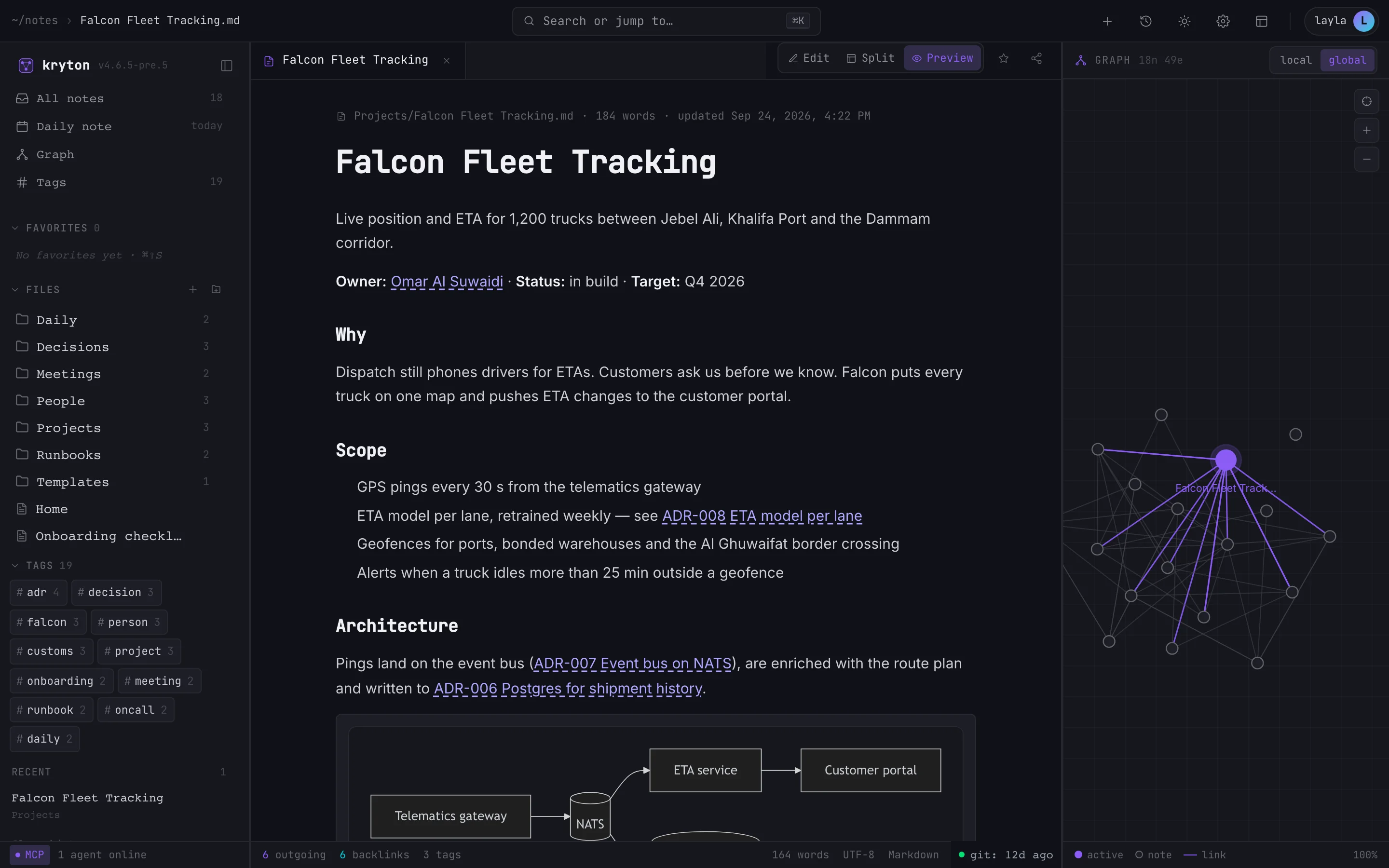
Your knowledge is everywhere except where AI can reach it
Decisions and runbooks sit in documents. Project context is scattered across chat threads, or only in someone’s head. Every AI assistant starts each conversation knowing none of it, so people paste the same background in again and again. When an assistant does write something useful, it vanishes with the chat.
Why it’s built the way it is.
AI access comes built in
The MCP server is part of the app, not a sidecar. With a scoped API key, Claude Code, Cursor and other MCP tools can search, read, create and link notes.
Plain Markdown, linked up
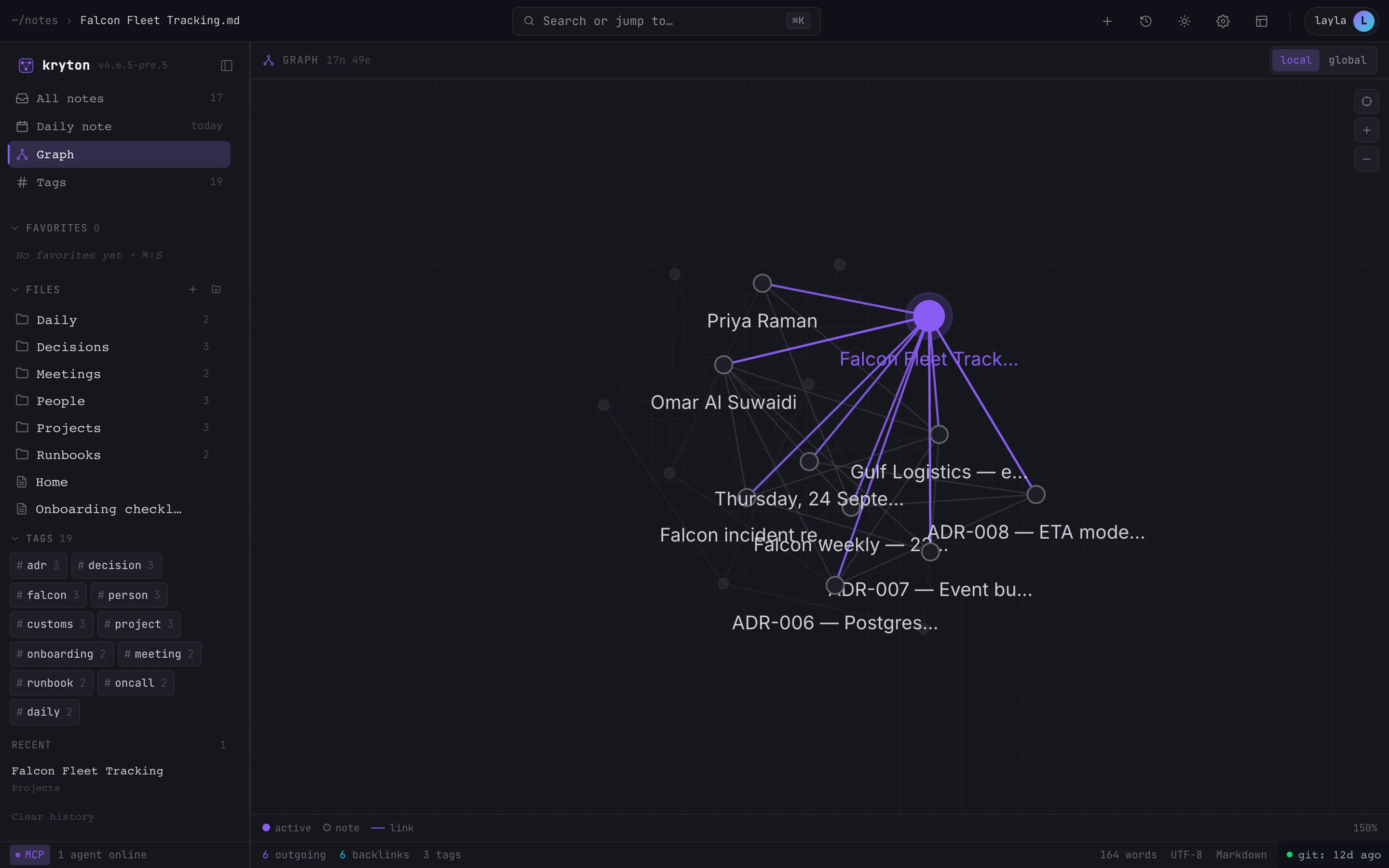
Notes are Markdown files with wiki links, backlinks and tags. The knowledge graph grows as people write, and nothing is trapped in a proprietary format.
Search that follows the links
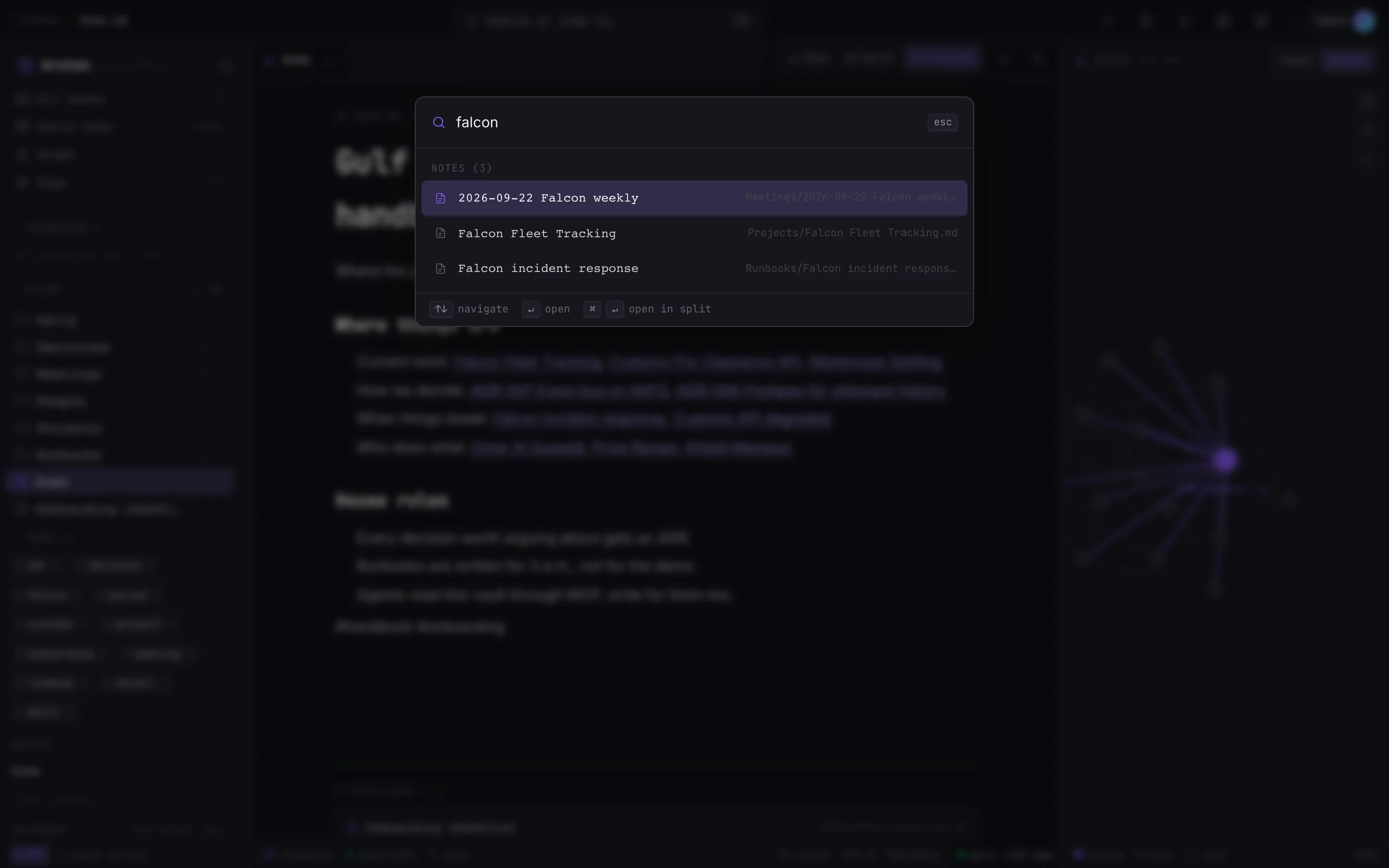
Results mix keyword matches, meaning-based matches and the link graph, and each user can shift the balance. Embeddings are computed on your own server.
Host it yourself
Run it with Docker Compose, a Helm chart, or a Kubernetes operator that takes scheduled backups. Or use the hosted service.
From setup to everyday use.
- 1
Deploy the server
Bring it up on one host with Docker Compose, or on Kubernetes with the Helm chart or the operator. You’ll need Postgres 16 with pgvector.
- 2
Invite the team
People sign in with email and password, Google, GitHub or a passkey, with two-factor if you want it. Everyone keeps their own notes and shares what they choose.
- 3
Write and link
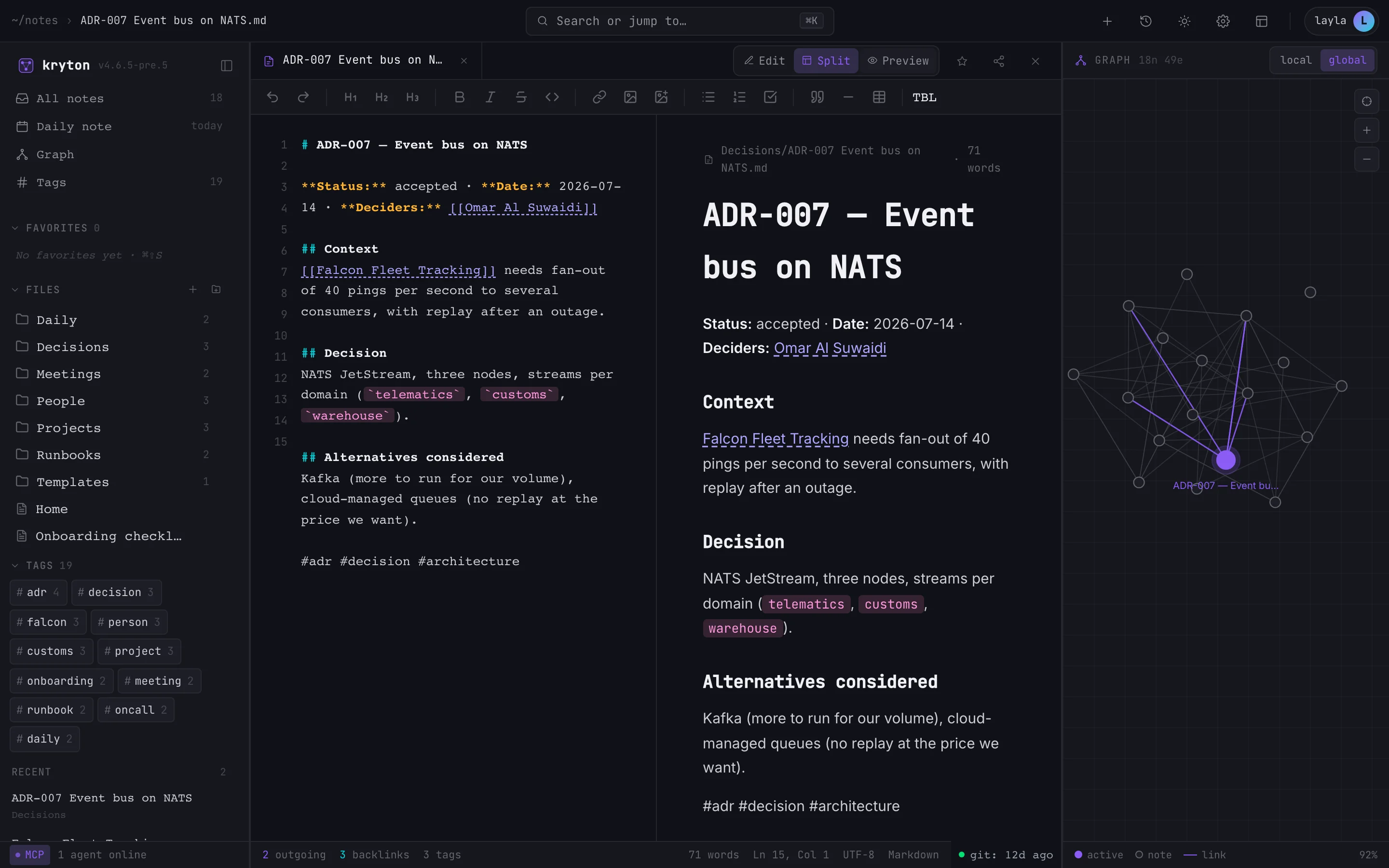
Notes, daily notes and templates in a Markdown editor with live preview. As you type wiki links, the graph and the backlinks build themselves.
- 4
Connect the AI tools
A single command signs in, creates an API key and writes the MCP configuration for every supported AI tool it finds on the machine.
- 5
Work together
Assistants read notes for context and write documentation back. People review it in the same notes, and every change keeps its version history.
See Kryton at work.
What it does, in detail.
Notes and editor
- Markdown editor Edit, split and preview modes. A formatting toolbar, slash commands and auto-save.
- Wiki links and backlinks Double-bracket links with autocomplete and broken-link detection, and a backlinks panel on every note.
- Version history Browse and restore earlier versions of any note. Deleted notes can be recovered from the trash.
- Templates and daily notes Shared templates for meeting notes, decisions and daily logs.
- Diagrams in notes Mermaid diagrams render right in the note, next to code blocks and images.
AI and search
- Built-in MCP server Tools to list, read, create, update, rename and search notes. Assistants can also follow backlinks, walk the graph and use templates.
- One-command setup Sets up Claude Code, Claude Desktop, Cursor, Codex, OpenCode, Cline, Continue, Kilo Code and Roo Code.
- Agents with their own identity Register each assistant as an agent with its own keys. You see which ones are connected and can revoke each one separately.
- Blended search Keyword, meaning-based and graph signals in one ranking, weighted per user.
Teams and security
- Sign-in options Email and password, Google or GitHub sign-in, passkeys, and TOTP two-factor with backup codes.
- Per-user isolation Each person’s notes are their own. Notes and folders can be shared read-only or read-write.
- Scoped API keys Read-only or read-write keys, with optional expiry and a rate limit per key. No key can reach the admin functions.
- Live co-editing Several people can edit one note at the same time, with changes synced as they happen.
- Admin panel Users, invitations, registration mode and plugins, managed from one screen.
Graph and apps
- Knowledge graph An interactive map of how notes connect, across the whole vault or around the note you’re reading.
- Web, desktop and mobile A web app, a desktop app and a mobile app, all working against the same server.
- Plugins Kanban, calendar, flashcards, Git backup and others. Each plugin’s API is exposed to AI assistants automatically.
- REST API Documented OpenAPI endpoints for notes, search, graph and sharing, ready for your own integrations.
Who uses it, and for what.
Engineering handbooks
ADRs, runbooks and project notes, linked in one place. Coding assistants read them before they touch the code.
Operations knowledge
Meeting notes and incident write-ups become linked, searchable knowledge that a new starter, or an assistant, can actually find.
Documentation written with AI
Assistants draft notes straight into the vault. People review, link and correct them, and every version is kept.
At a glance
- Runs on
- Any Linux host or Kubernetes cluster; web, desktop and mobile apps
- Deployment
- Docker Compose, Helm chart, Kubernetes operator, or the hosted service
- Requirements
- Postgres 16 with pgvector
- Integrates with
- Any MCP client, Claude Code, Claude Desktop, Cursor, Codex and Cline among them; REST API with OpenAPI docs
- Sign-in
- Email and password, Google, GitHub, passkeys, TOTP two-factor
- Built with
- React, TypeScript, Fastify, Drizzle and Postgres
Questions
Where is our data stored?
When you self-host, on your own server. Notes are Markdown files and the metadata sits in your Postgres database. Search embeddings are computed on that same server, not by an outside service.
Can an AI assistant see everything?
No. It sees only what its API key allows: one user’s notes plus whatever has been shared with that user, read-only or read-write. The admin functions are always out of reach.
Can we run it without internet access?
The server runs on your infrastructure with its own database and search, so it doesn’t rely on any outside service to work. Connecting AI tools needs whatever access those tools themselves require.
How is it priced?
It depends on the number of users, and on whether you host it yourself or use the hosted service. Book a demo and we’ll size it with you.
AI that writes code to senior standards, with memory and context.
Procoder
Quality gates for AI coding agents. Work that is untested, unformatted or unfinished doesn't get to call itself done.
Learn moreAI memoryNovamem
A memory service for AI agents. They remember what matters between conversations, privately for each person or shared across a project.
Learn moreAI code reviewKuvryn Scout
Keeps reviewing your GitHub and GitLab repositories with standard analysers and AI rules, and files what it finds as issues without repeating itself.
Learn moreAI software factoryNovaForge
A self-hosted Git platform where AI agents pick up work in isolated runs. Quality gates and an independent review decide what gets merged.
Learn moreDeveloper SDKgo-ai-sdk
An open-source Go library for building AI features across 40 providers: text and streaming, structured output, tools, embeddings, images and speech.
Learn moreSee it on your own data.
We run the demo with your data, then propose a scope and pricing.