Procoder
AI coding qualityAI coding agents that can’t call work done until it’s formatted, tested and clean.
Quality gates for AI coding agents. Work that is untested, unformatted or unfinished doesn't get to call itself done.
Agents say "done" too soon
AI coding agents write code fast, and they report success just as fast. The tests never ran. Nobody formatted the files. A conflict marker is still sitting there. Rules files and prompts are only advice, and an agent under pressure talks its way round advice. So your reviewers end up doing the checks the agent skipped.
Why it’s built the way it is.
It computes. It doesn’t advise.
A binary reads the actual diff, runs the real tools and exits non-zero. An agent can ignore a paragraph of guidance. A failed gate is harder to argue with.
Unchecked means failing
If no tool could check a file, it is never reported clean. A test suite that didn’t run is reported as NOT run, and never as green.
Your code is never edited for you
Procoder reports what it found and prints the corrected content. The agent or the developer reviews it and writes it. Nothing changes behind anyone’s back.
Each escaped bug closes a whole class
A bug that slips past review goes into the lessons file. The work isn’t finished until a lint rule, rubric line or test that would catch that kind of bug has landed.
From setup to everyday use.
- 1
Install the plugin
Two commands add Procoder to Claude Code. For another agent, copy in its rule files and hooks. The binary for your platform comes with it.
- 2
Close the tool gaps
The init command works out which formatters, linters and scanners the repository needs. For each one that’s missing it prints a single, visible install command.
- 3
Every change meets the gate
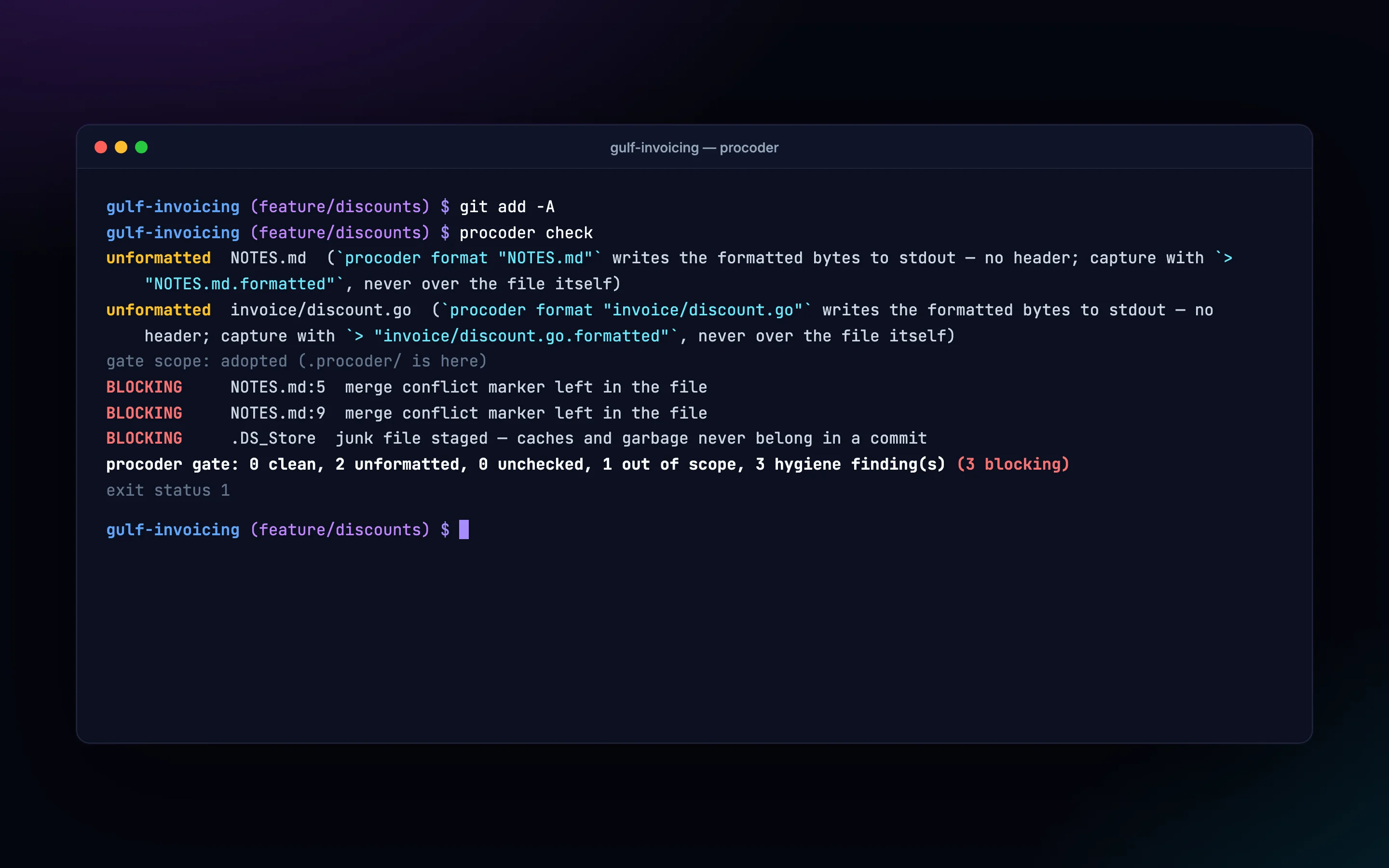
Hooks check each file the agent writes. The gate blocks a commit when it finds unformatted files, conflict markers, junk, secrets or other hygiene problems.
- 4
Work passes through controllers
Specs, plans, backlog stories and tasks each have a check. It won’t let them close while a section is empty, a question is open or evidence is missing.
- 5
Release only when it’s true
The release check lists every reason a version isn’t ready yet. When it passes, it prints the tag command for a person to run.
See Procoder at work.
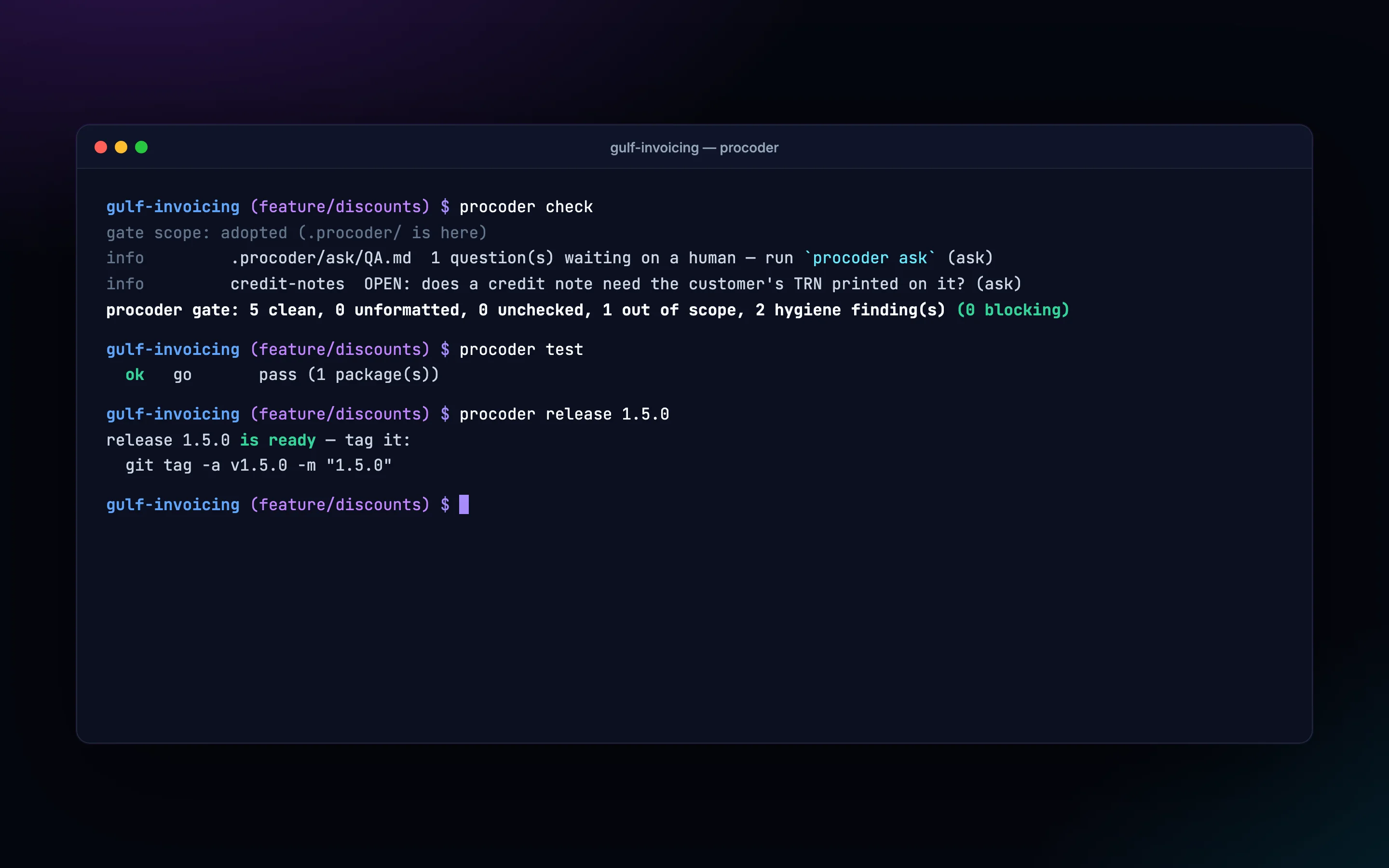
What it does, in detail.
Commit gate
- Formatting across languages Go, Python, JavaScript, TypeScript, HTML, CSS, PHP, Rust, C/C++, Java, Kotlin, Swift, Ruby, Dart, C# and shell. Each uses its canonical formatter with your project’s config.
- Git hygiene Conflict markers, staged junk, oversized files and AI-attribution lines are stopped before they reach history.
- Secrets scanning gitleaks runs on the change. If the scanner is missing, the gate blocks instead of quietly passing.
- One code path The commit hook, the agent’s own check and CI all run the same checks. They can’t disagree.
Quality chain
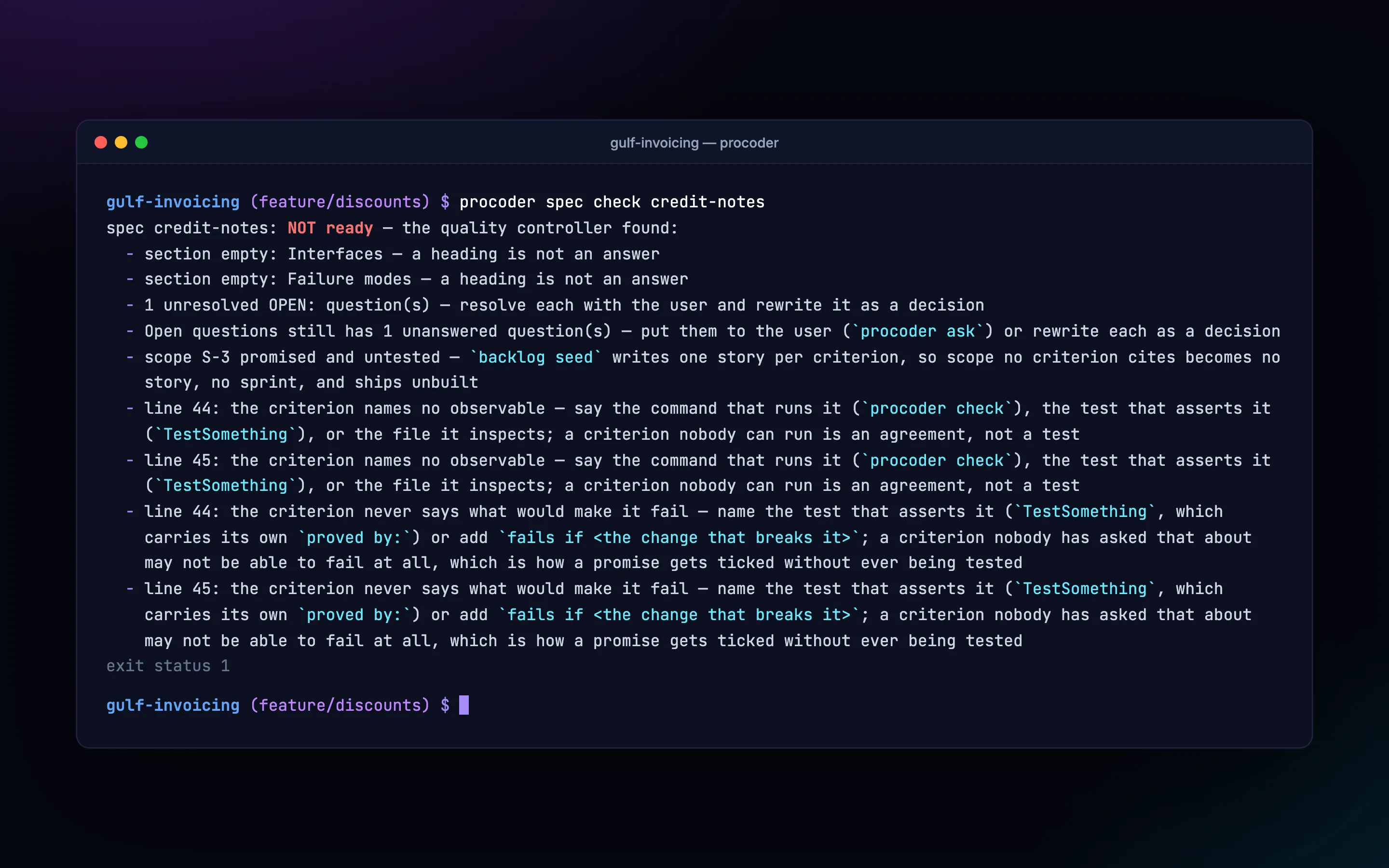
- Spec interview The spec check blocks while any section is empty, any question is open, or an acceptance criterion can’t be tested.
- Implementation plans The plan check rejects placeholders, and tasks that name no files or steps.
- Backlog and sprints Milestones, epics and user stories seeded from the specs. They’re worked in scope-boxed sprints, with carry-over made explicit.
- Gated task list A task closes once every criterion is checked, the evidence is recorded and the gate is clean. Not before.
Tests and releases
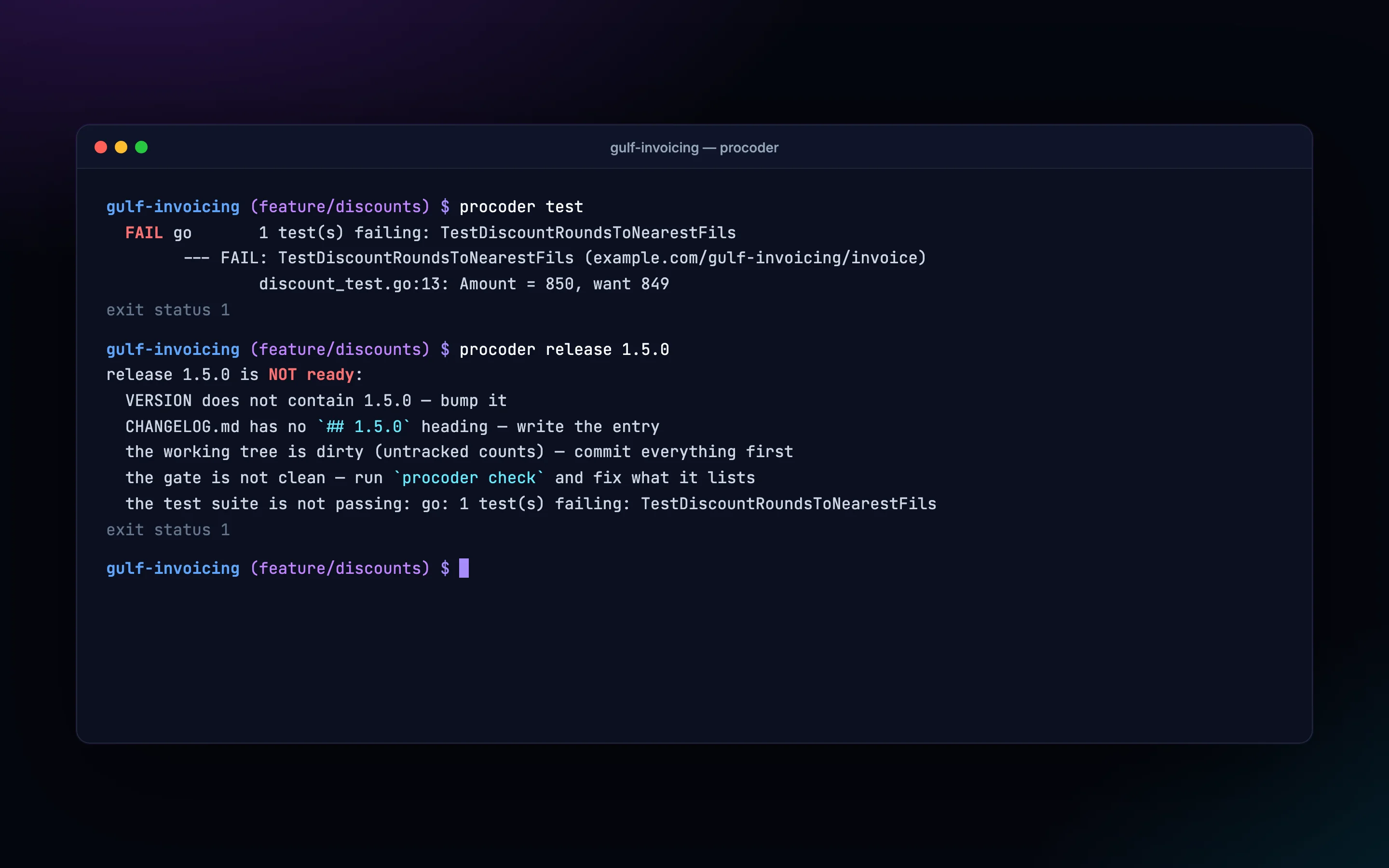
- The real test suite Runs go test, cargo test, the package.json script, pytest or Gradle/Maven, then names the tests that failed.
- Optional test policy Switch on the block policy and tasks and stories can’t close while the suite is red or couldn’t run.
- Pre-tag controller One list covering version sync across files, the changelog entry, a clean tree, the gate and the suite.
- Architecture decision records Dated decisions, with their context and consequences. They get superseded, never rewritten.
Beyond formatting
- Security and dependencies Static analysis with semgrep and dependency vulnerabilities with osv-scanner. There’s also a freshness report for each ecosystem.
- CI and infrastructure hygiene Workflows get checked for pinned actions, job timeouts and concurrency. So do Dockerfiles, Terraform, Kubernetes manifests and Helm charts.
- Code index Find, references, callers, impact and unused code, from a ctags and SCIP index. The agent stops grepping blind.
- Codebase audit Every check, run over an existing repository, followed by a triaged plan for bringing it in line.
Who uses it, and for what.
Teams adopting AI coding agents
Hold Claude Code, Cursor, Copilot or Codex to the same non-negotiable definition of done your senior engineers already use.
Taking on an older codebase
Audit the whole tree first. Then fix it one directory at a time, rather than drowning in findings.
Regulated release processes
A written trail from spec to acceptance criteria to evidence to release. Every refusal is listed, none waved through.
At a glance
- Runs on
- macOS, Linux and Windows (amd64 and arm64 where available)
- Deployment
- A single binary with no runtime dependencies, shipped inside the agent plugin; works air-gapped
- Works with
- Claude Code, Codex CLI, Copilot, Cursor, Windsurf, Cline, Kilo Code, Roo, Kiro, Gemini CLI, OpenCode and any agent that reads AGENTS.md
- Uses your tools
- gofmt, prettier, ruff and the other canonical formatters; gitleaks, semgrep and osv-scanner
- Configuration
- Plain files in .procoder/ inside the repository; the project’s own settings always win
- Built with
- Go
Questions
Does Procoder send our code anywhere?
No. The binary runs locally and needs no network to check your code. It calls out to the tools installed on your machine.
Will it change files in our repository?
No. It reports findings and prints corrected content, and the agent or developer reviews and writes it. The one thing it ever deletes, and only when asked twice, is its own old copies in the plugin cache.
We don’t use Claude Code. Will it still work?
Yes. Claude Code has the most complete integration. Adapters cover more than 20 other agents, ranging from rule files to full hooks.
What if a check tool isn’t installed?
The files it would have checked are reported as unchecked, and that fails the gate. The doctor command names the gaps; init prints the commands that close them.
How is it priced?
It depends on team size, and on how much support and rollout help you want. Book a demo and we’ll go through it using your own repositories.
AI that writes code to senior standards, with memory and context.
Kryton
A self-hosted knowledge base with wiki links and a knowledge graph. Your team and your AI assistants read and write it together.
Learn moreAI memoryNovamem
A memory service for AI agents. They remember what matters between conversations, privately for each person or shared across a project.
Learn moreAI code reviewKuvryn Scout
Keeps reviewing your GitHub and GitLab repositories with standard analysers and AI rules, and files what it finds as issues without repeating itself.
Learn moreAI software factoryNovaForge
A self-hosted Git platform where AI agents pick up work in isolated runs. Quality gates and an independent review decide what gets merged.
Learn moreDeveloper SDKgo-ai-sdk
An open-source Go library for building AI features across 40 providers: text and streaming, structured output, tools, embeddings, images and speech.
Learn moreSee it on your own data.
We run the demo with your data, then propose a scope and pricing.